SaaS / Mobile & Web Redesign

SchoolBuds Case Study

A modern school communication and student management SaaS platform designed to seamlessly connect schools, teachers, parents, and students through one unified, beautiful ecosystem.

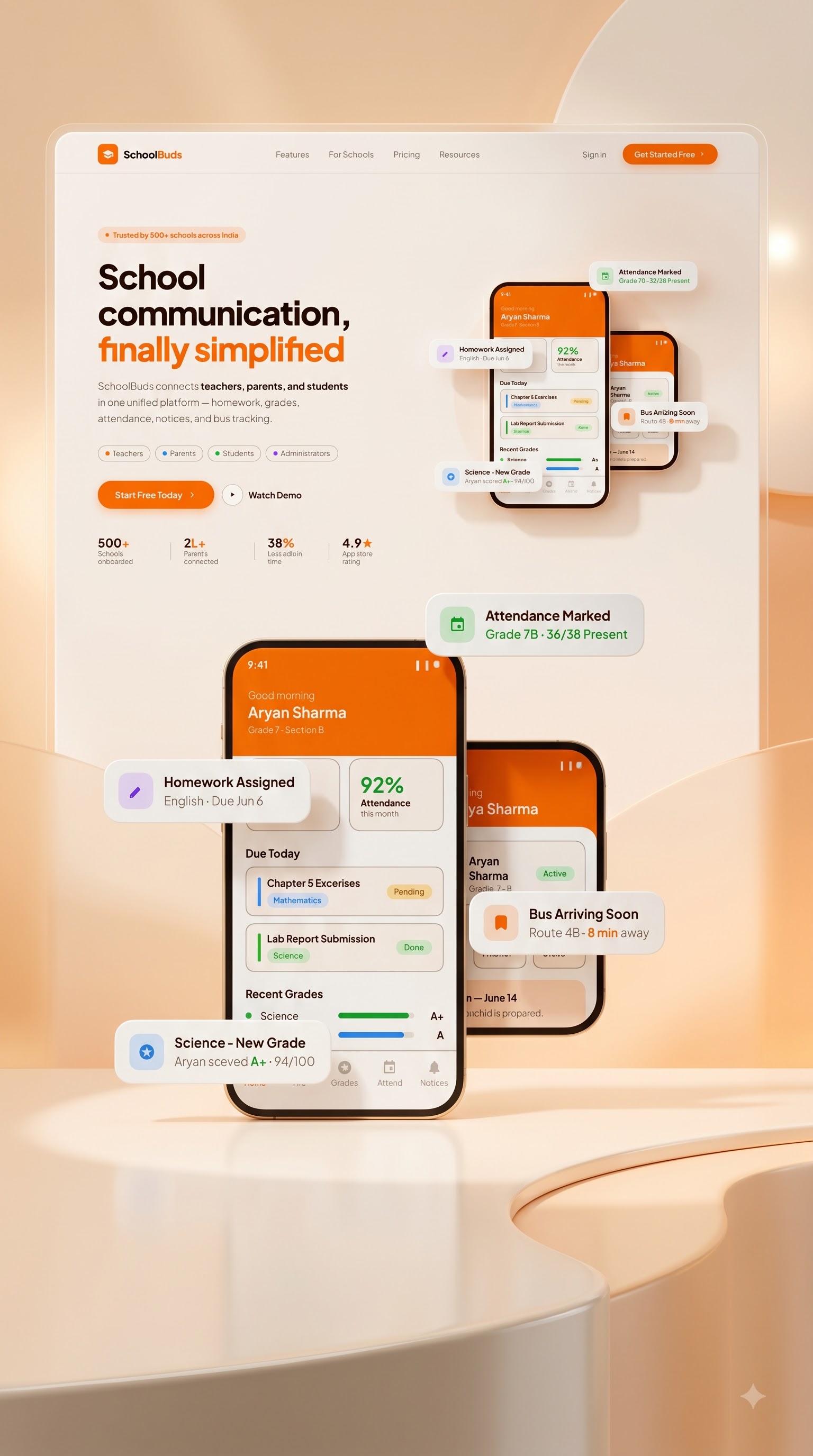
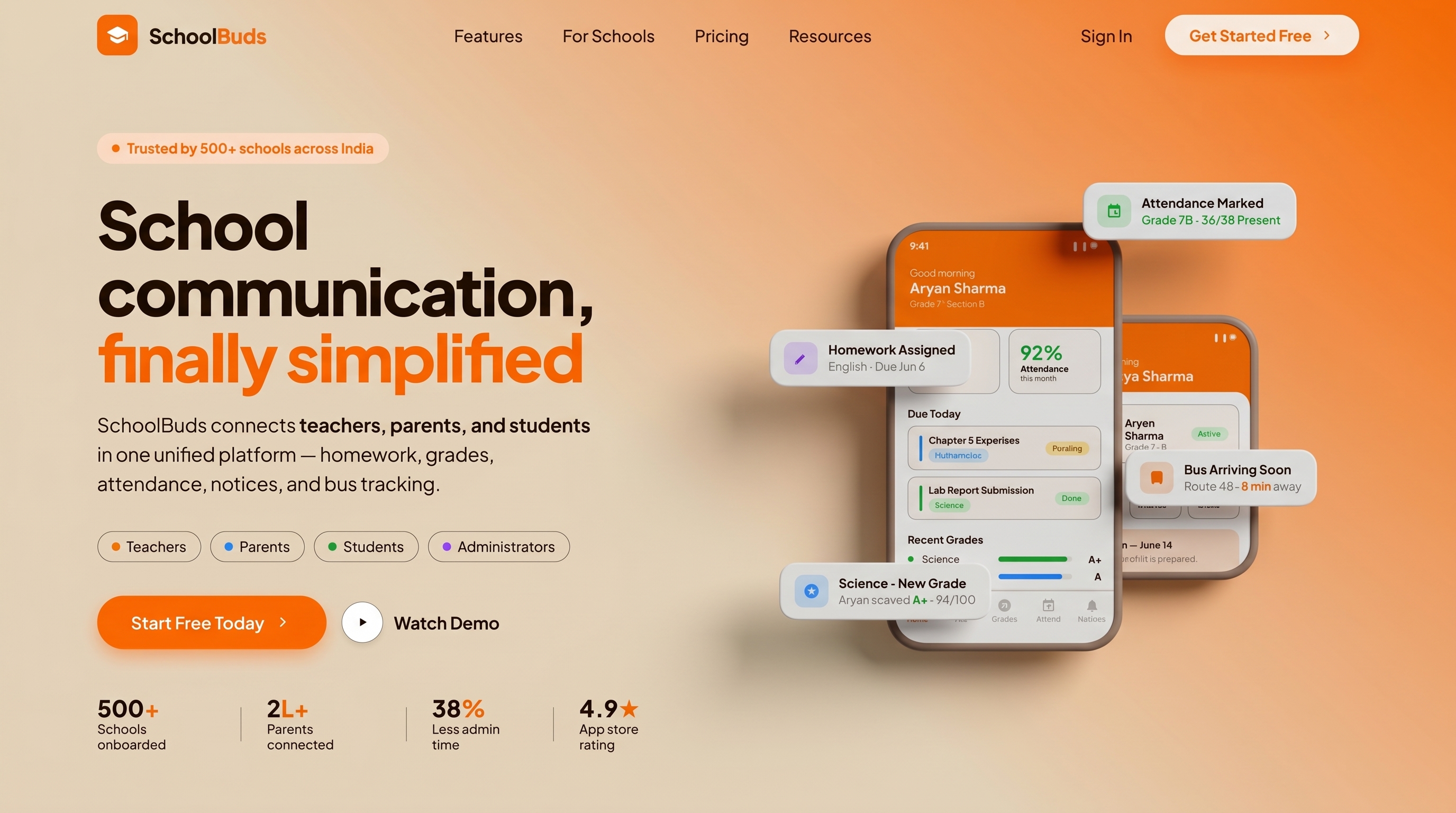
SchoolBuds Landing Page Hero Visual Mockup
Role UI/UX Design, Research, Information Architecture, Design Systems
Tools Used Figma, User Testing, UX Audits
Project Context Visual Designer Assignment

Project Brief

Schools often struggle with fragmented communication, manual administrative work, and a lack of transparency between teachers and families. SchoolBuds solves this by unifying homework, grades, attendance, notices, and real-time bus tracking into a beautiful, human-centric design system. The goal of this redesign was to transform a generic, overloaded teacher dashboard into a highly efficient tool, and establish a cohesive design system for all school roles.

Problem & Solution
Problem Solution

Legacy school portals suffer from severe information overload. Home screens display 12+ competing widgets, forcing teachers to scroll past student leaderboards and behavior donuts just to perform a 5-second attendance check. Parents also receive confusing data formats like "24/60 present" with no real-time safety tracking for school buses.

Problem Solution
1 2

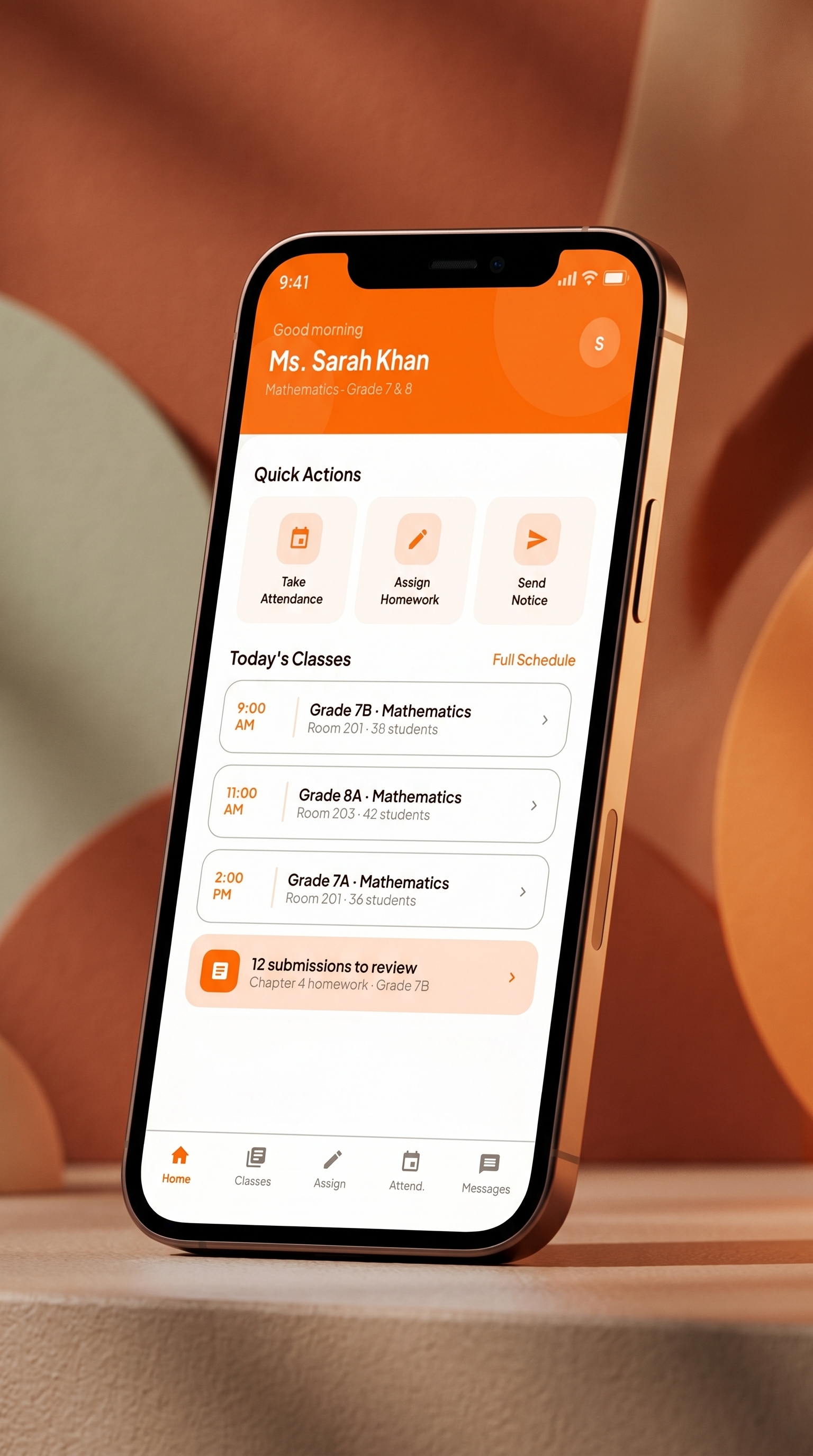
Redesign the teacher interface into 3 focused zones—Header (Identity), Quick Actions (Daily Tasks), and Today's Classes (Timetable)—reducing admin time and paper roll call down to single taps.

Problem Solution
1 2

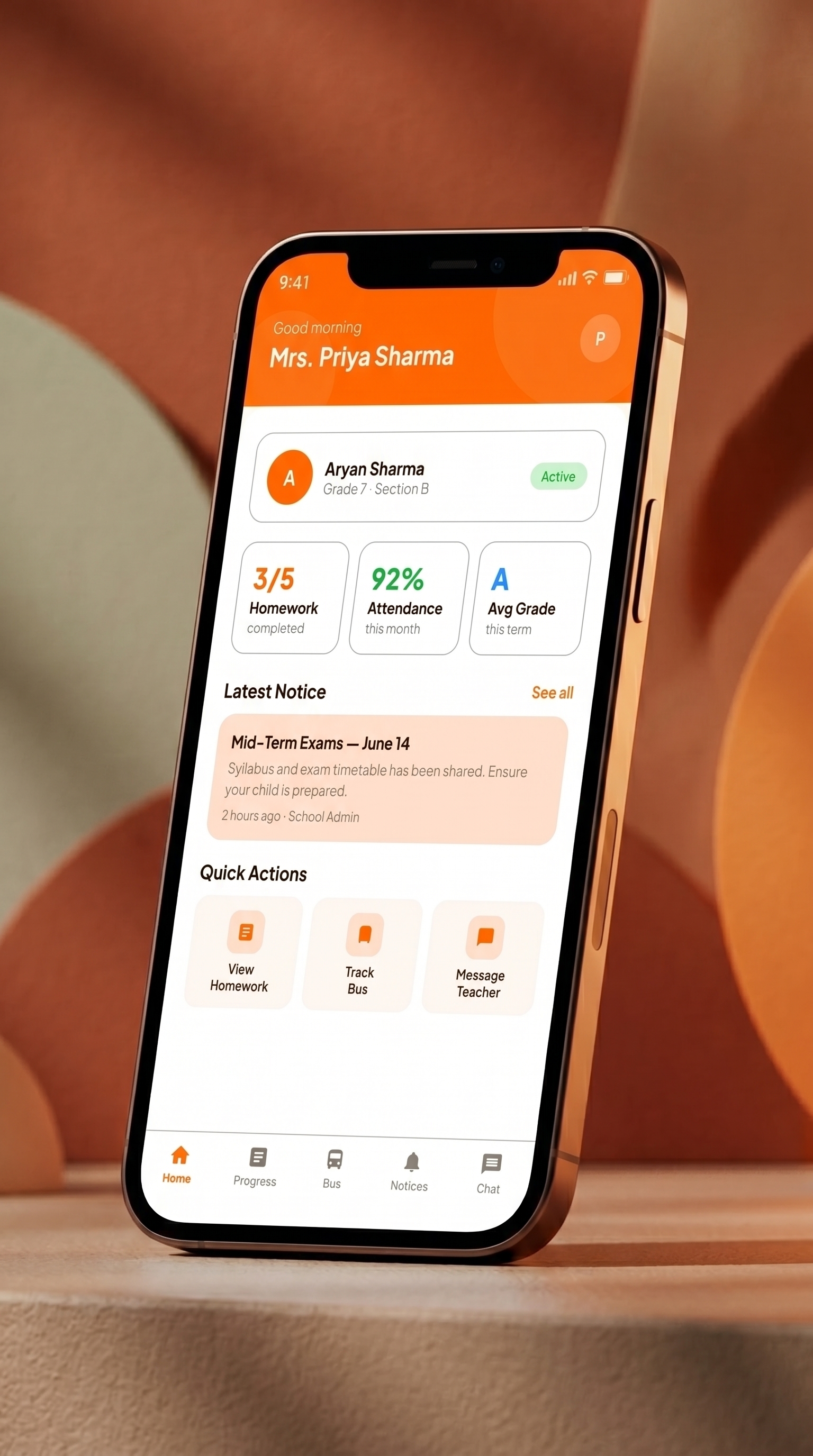
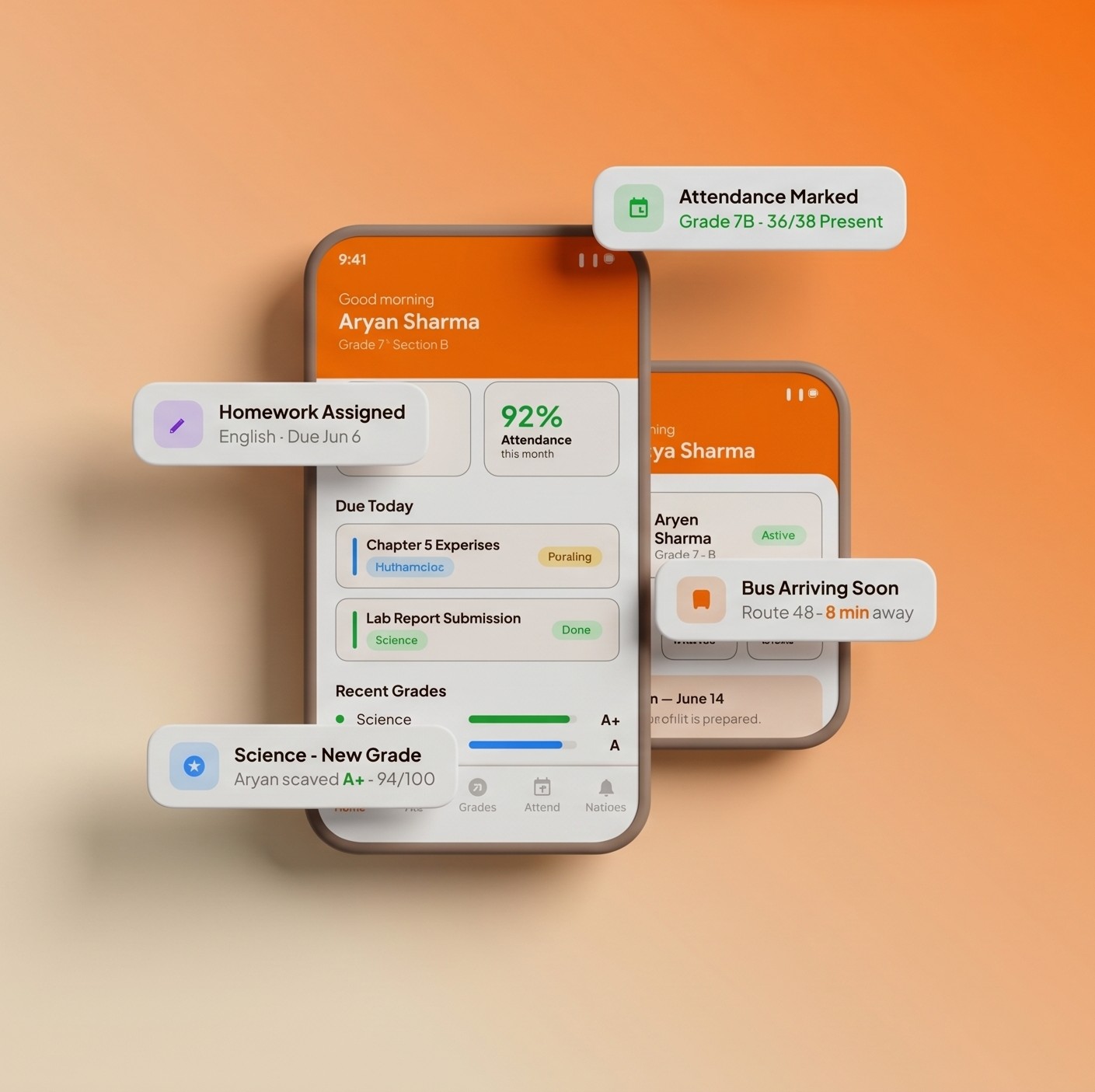
Unify parent views with clear attendance percentage charts, upcoming exam cards, and GPS-enabled push alerts ("Route 4B is 8 mins away") to guarantee child safety and complete transparency.

User Research & UX Audit

Eliminating Dashboard Bloat & Information Overload.

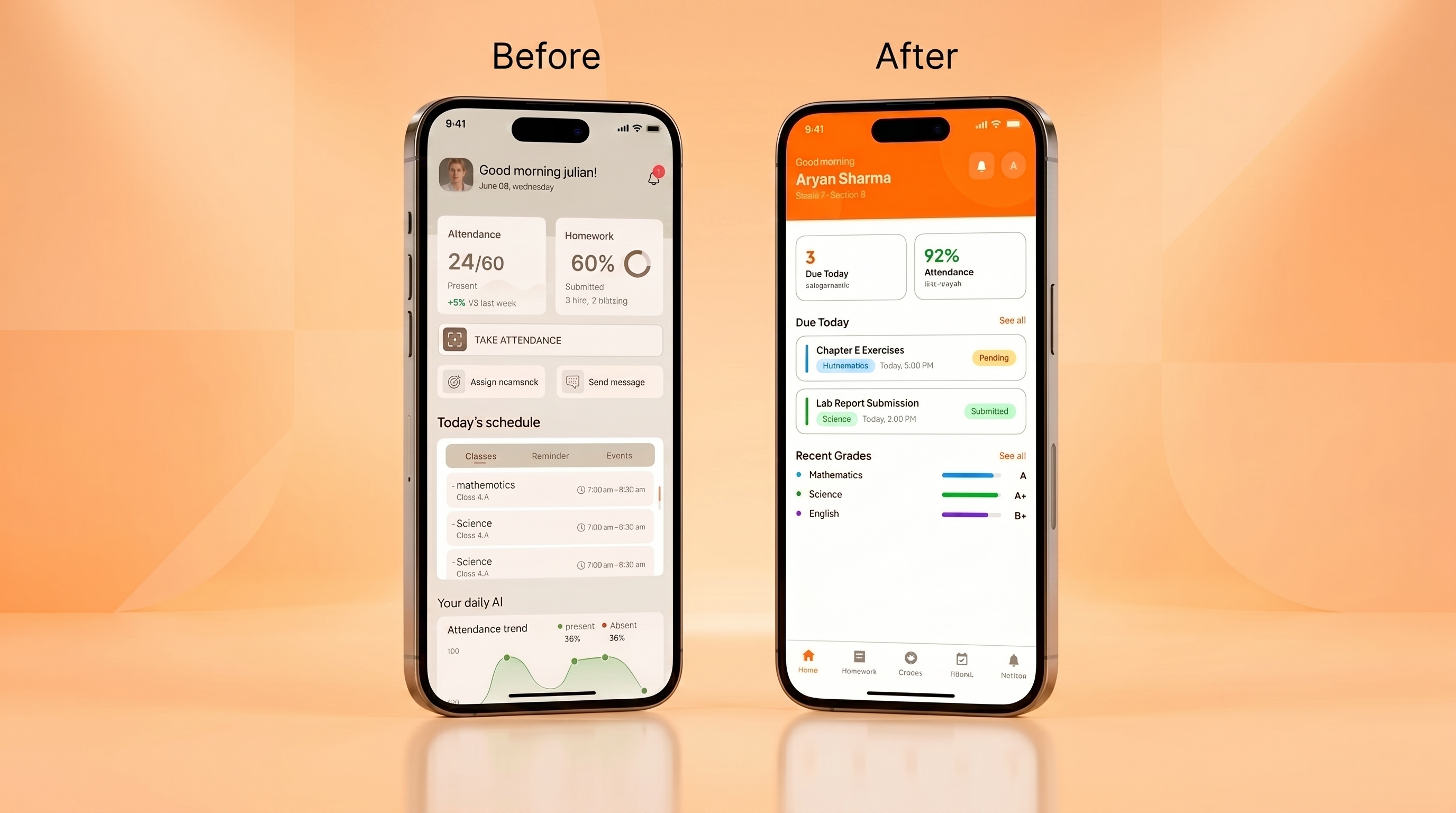
Before designing a single high-fidelity screen, I performed a UX audit of legacy school software. The findings were clear: systems suffered from severe information overload. The home screen held 12+ competing blocks, combining attendance bar charts, homework completion bars, gamified badge summaries, student leaderboards with gold stars, behavior donut charts, and notification feeds.

12+ Competing Widgets

Teachers opening the app to perform a quick 5-second task (taking roll call) were forced to scroll past irrelevant dashboards.

Unfitting Gamification

Leaderboards and gold star tables on a teacher's home view served as visual noise rather than useful administrative utility.

Confusing Data Formats

Ambiguous fractions (like "24/60 Present") lacked baseline clarity. These were replaced by percentage indicators with semantic colors.

SchoolBuds before versus after design comparison sheet
Typography & Color
Regular Medium SemiBold Bold ExtraBold
AaBbCc
Plus Jakarta Sans
ABCDEFGHIJKLMNOPQRSTUVWXYZ
abcdefghijklmnopqrstuvwxyz
1234567890/@#$%&*( )
#FE6601 Primary Orange
#190A00 Deep Brown
#FFF9F5 Light Cream
#FFE3D1 Muted Orange
#C1BCB9 Border Gray
#D1F5D3 Success Green
#D6EAFF Parent Blue

Key Features

Three Interfaces. One Connected Ecosystem.

SchoolBuds Student Home screen

Student Portal

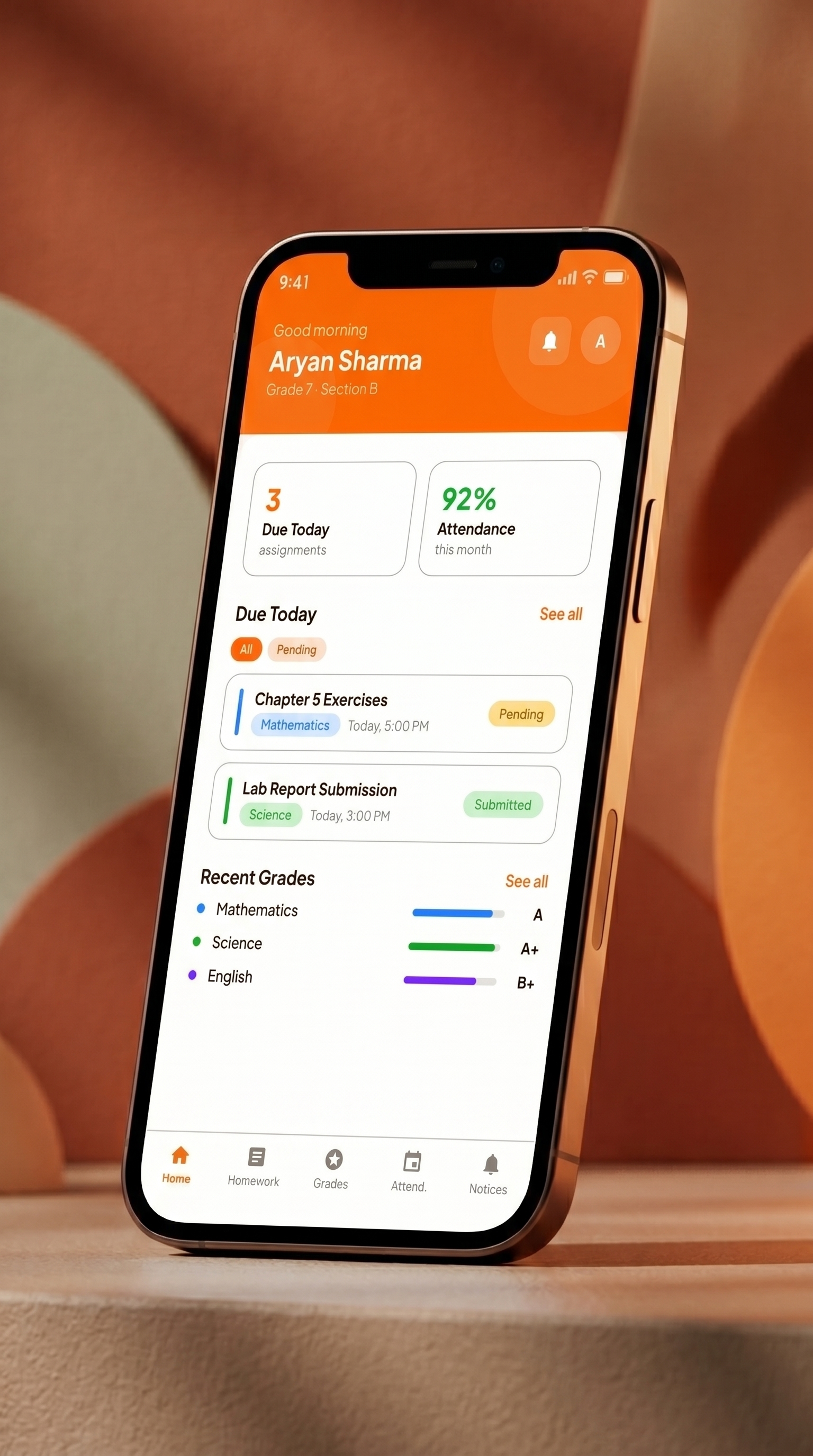
Clean class progress meters, pending digital homework cards, and immediate teacher feedback loops. Keeps students focused and organized.

SchoolBuds Parent Home screen

Parent Dashboard

Switch between children profiles with one click. Clear attendance percentages, pending homework counts, and school event timelines.

SchoolBuds Teacher dashboard screen

Teacher Console

The streamlined 3-zone system. Quick-action buttons for roll call, homework assignments, and notice broadcasts, alongside a clear time-based class timetable.

Case Study Complete

Connecting education through systematic design.

SchoolBuds represents a transition from cluttered, legacy enterprise templates to a modern, responsive mobile SaaS portal. By resolving user pain points across three separate stakeholders (teachers, parents, and students), the platform achieves a balance between utility and visual delight.

Back to Projects